

Okta Student Portal Information
Your Okta Portal is the central hub for your Savannah Tech accounts and online resources. Log in once to access your classes, email, academic records, collaboration tools, and more—all through a secure, easy-to-use platform.

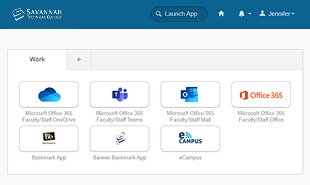
Logging into your Savannah Tech Accounts is now easier than ever. Through the new Okta Portal, you will use one link, one username and password and have access to:
- STC Blackboard
- eCampus Blackboard
- STC Email
- Banner MySTC
- Degree Works
- Microsoft Teams
- Microsoft OneDrive
- eCampus Blackboard (only students currently enrolled in a course through eCampus will have access)
MySTC Technical Support Form
Forgot your Savannah Tech Banner / Email / Blackboard login information?
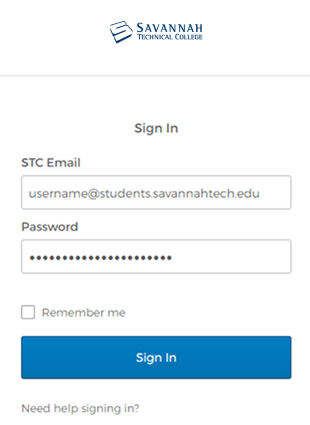
Your username will be your full Savannah Tech Email address.
Example: [email protected] (don’t forget the “s” on the end of students)
Your initial password will be your birth date in this format: mmddyyyy.
Example: May 13, 1995 will look like 05131995


